
Bandera Mugshots After Release
A booking photograph records appearance during a particular intake. Release does not turn it into a current-custody image, nor does the photo show how the case ended. The Bandera County Sheriff page has no public roster, photo gallery, 24-hour list, 72-hour list, or app link.
The absence of a gallery does not establish that no booking photograph exists. Ask for the image linked to a named booking under the Texas Public Information Act. Access remains subject to lawful exceptions, redaction, and the agency’s custody of the record.
Bandera Mugshot Source Map
Each photo channel covers a different custody system. Use the source that created or holds the relevant record.
| Channel | Photo status | Access |
|---|---|---|
| Bandera sheriff website | No gallery found | Use jail contact or a records request. |
| Bandera public-information request | Requestable when held and releasable | Identify the exact booking photograph. |
| TDCJ online search | May show current-prisoner data | Not a released-person photo archive. |
| TDCJ email information | Ordinary email service excludes photos | Use a TDCJ open-records request if appropriate. |
| IVSS-Counties | Notification tool, not a promised gallery | Use for a named-person event, then verify. |
| News reports | May contain a dated image | Secondary context only. |
VINELink or IVSS notification should not be described as a guaranteed photo source. Likewise, a TDCJ image is not the Bandera County booking photo unless the record itself establishes that provenance.
Request a Bandera Booking Photo
Use the Bandera County Public Information Office route and request an existing record. A precise request reduces confusion between bookings and avoids asking staff to create a new compilation.
- Name the Bandera County Sheriff’s Office or jail as the department.
- Give the person’s full name, date of birth if known, booking date, and booking number.
- Ask for the booking photograph associated with that custody episode.
- Add the release record, charges, and cause number only if those existing records are also needed.
- Accept a public or redacted version where appropriate and request a cost estimate.
The posted county form lists copy, media, labor, supply, and postage categories. Because its layout and revision context are not a dependable final quote, do not promise a total before the county responds.
No Bandera Mugshot App
No official Bandera County sheriff mobile application or app-only inmate-photo tool was identified. Searchers should not assume another county’s vendor covers Bandera or that a hidden mobile feed fills the gap.
The sheriff source gives jail contact information and supports the direct-request path. The captured official page shows that public contact layer.
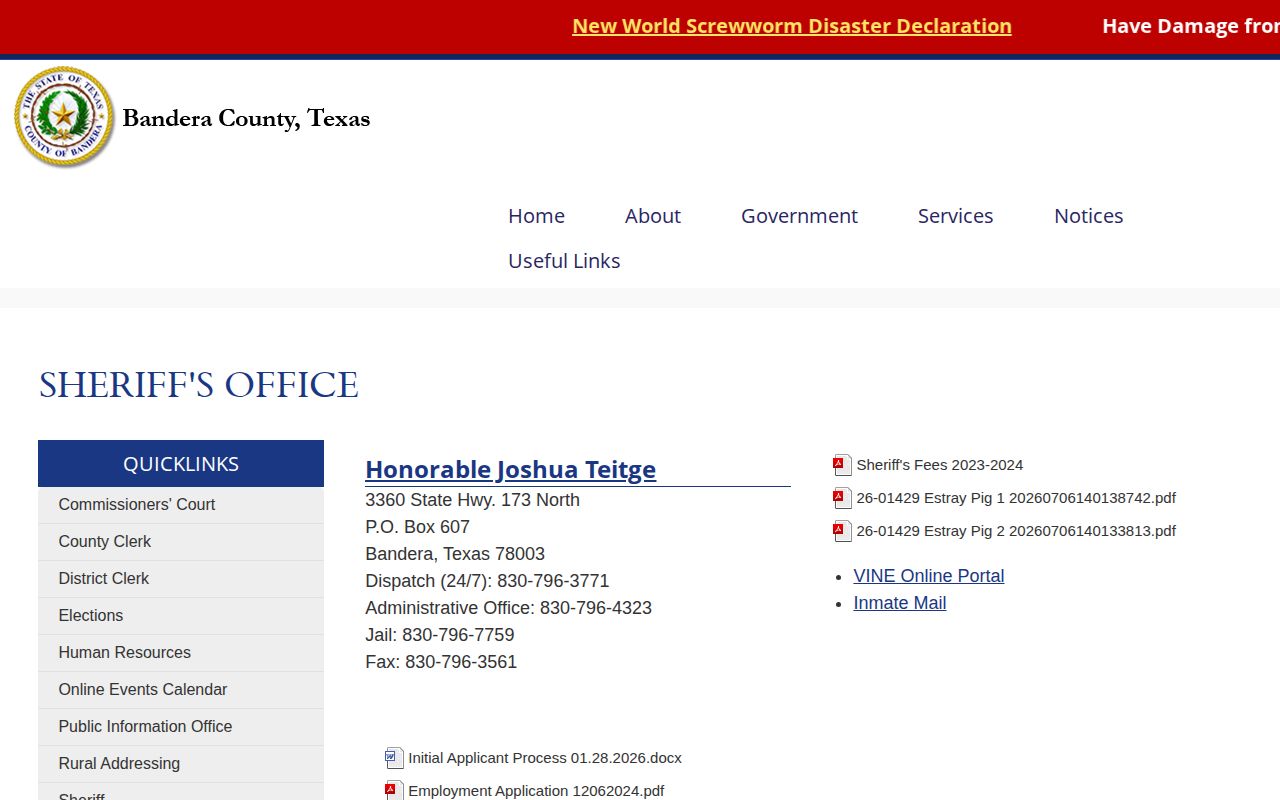
The image documents the official starting point without implying that the page hosts a mugshot gallery.
Bandera Arrest Columns Have Limits
The Bandera Bulletin has carried a dated sheriff’s-arrests column. Such reporting can help identify an approximate arrest period, but it is not the jail’s release record and cannot prove that a person was released. A published image may also be cropped, reposted, or detached from later case history.
Match any secondary image against the official booking identity and court cause number. Do not treat a news caption as a current status. The County Clerk record search can provide party, filing, bond, and disposition fields where applicable.
Texas Mugshot Publication Rules
Texas Business & Commerce Code Chapter 109 regulates certain business entities that publish criminal-record information, including booking photographs. It provides correction and removal duties in covered circumstances and addresses fees connected with removing criminal-record information. Those commercial-publication rules are distinct from asking a government agency for its own record.
No commercial mugshot gallery is endorsed as a source. Pay-to-remove operations can preserve stale or misleading material and are not substitutes for Bandera County records.
Bandera Expunction Photo Effects
Texas Code of Criminal Procedure Chapter 55A governs expunction, a court process that can require covered records to be destroyed or returned when statutory conditions are met. An expunction is not automatic merely because a charge was dismissed or a person was released. Eligibility and the scope of an order depend on the case.
For an official image, provide the signed order to the agency identified in it and follow the court’s process. A third-party copy may require a separate correction or removal request. Court and agency treatment should be confirmed from the actual order rather than inferred from a missing web result.
TDCJ Photos Are Different
A person transferred from Bandera County Jail into TDCJ did not enter the community at the county gate. TDCJ’s public search covers people currently incarcerated in a TDCJ facility and may be at least 24 hours old. Once the person leaves state custody, that search is not a full historical released-person database.
TDCJ’s ordinary email information route can provide identity, incarceration history, offense, location, and projected-date details, but it expressly does not provide photographs. For a state record, use the TDCJ open-records process. Keep that state image separate from the county booking photograph.
Verify Bandera Photo Identity
A name alone is not enough. Compare the booking number, booking date, date of birth where lawfully available, arresting agency, charges, and court cause number. A release timestamp then connects the image to the correct completed custody episode.
- Booking photo
- The intake image for one arrest or custody episode.
- Disposition
- The court’s recorded action or resolution.
- Expunction
- A statutory court remedy affecting covered records.
- Release record
- The jail entry showing how and when custody ended or transferred.
For recent timing, consult Jail Releases: 24 Hours, while remembering that Bandera has no public feed. Official confirmation protects against mismatched names and stale images.
Bandera Photo Request Details
A useful request distinguishes the photograph from the rest of the booking packet. Identify the Sheriff’s Office, full name, date of birth if known, booking date, arresting agency, and booking number. Ask for the booking photograph associated with that exact intake. When identity remains uncertain, also request the charge and cause-number fields that can be checked against the court file.
The county form asks for the department, requester contact details, address, a specific record description, acceptance of a public or redacted copy, signature, and date. It warns that a governmental body need not create a new record. A request for “all photos of released inmates” would therefore be less precise than one tied to a known booking.
Bandera Photo Access Costs
The posted form lists ten cents per standard page, fifty-five cents for a nonstandard page, one dollar per CD, actual cost for thumb drives and postage, and personnel charges in specified circumstances. A scanned layout and revision context make an advance total unreliable. Ask for a written estimate and choose electronic delivery when the office offers it.
Fees do not determine whether a record is public. Texas Government Code Chapter 552 supplies the access framework, while exceptions and redaction rules determine what the office may release. The photograph’s presence in an agency file also does not mean the Sheriff must operate an online gallery.
Separate County and State Photos
A Bandera booking photograph and a TDCJ institutional photograph document different custody stages. A defendant can leave the county jail by transfer to state prison. That event ends county custody but is not community release. The county image remains linked to the local booking, while any state image belongs to the TDCJ record.
The public TDCJ search is limited to current inmates and is not a historical gallery for discharged people. Its standard email information service does not provide photographs. A state photo request should go through TDCJ’s open-records office, with the TDCJ or SID number and the relevant incarceration period when known.
Check Bandera Court Outcomes
The County Clerk search can expose party, cause number, case type, filing date, bond-company information where applicable, disposition, and disposition date. District criminal files use the District Clerk route. These records help prevent an arrest image from being presented without later case context.
A dismissal, acquittal, conviction, or other disposition does not change what the booking photo depicted at intake, but it changes how the record should be understood. The court file does not usually show the jail’s physical release time. Pair it with the release entry for a complete chronology.
Correct Published Bandera Mugshots
First decide who controls the copy. For a county record, contact the originating agency with the booking identifier and supporting order. For a news image, use the publisher’s correction policy. For a covered commercial criminal-record publication, Texas Business & Commerce Code Chapter 109 may create correction and removal duties.
Expunction under Chapter 55A is a court remedy with statutory eligibility rules. Release, dismissal, and expunction are not synonyms. A signed order controls which entities and records it reaches. Avoid commercial services that demand payment merely to remove a mugshot, and do not assume that deleting one copy removes all independently held records.
Document Bandera Photo Provenance
Save the source URL or request response, agency name, booking number, booking date, and retrieval date with the image. Provenance means the record of where a copy came from. It helps distinguish an official Bandera booking photograph from a TDCJ image, news crop, or unrelated repost.
When the source does not identify the booking, do not guess from appearance alone. Compare identifiers and obtain the originating record. A current photo from another system cannot silently replace the image created during the Bandera intake.
This care also preserves dignity and accuracy. A booking image documents an arrest-stage record, while the court disposition and release entry supply the later outcome and custody status.
Public Record Search
Sponsored Results